


I was playing with one of the new personal AI agents early on a Saturday morning, first espresso in hand at the kitchen nook. Part of it was a test: could such an assistant like this (think Muse, Duet, Dot or Grok Bot). act as a chief of staff for my business, not just my weekend chores? Part of the test was a real problem: rodents getting into an old garden shed, and I had no idea how to mitigate it.
I gave the agent the problem, and it started from scratch with me. It laid out the steps, found the products at my preferred local hardware store, and filled a shopping cart.
Then it offered to place my order.
That was a step too far for me. I’m comfortable with AI doing a lot on my behalf, more than most people I know. But I wasn’t going to hand any AI agent my financial information to finish the job.
It was ready to keep going. I decided where it stopped.
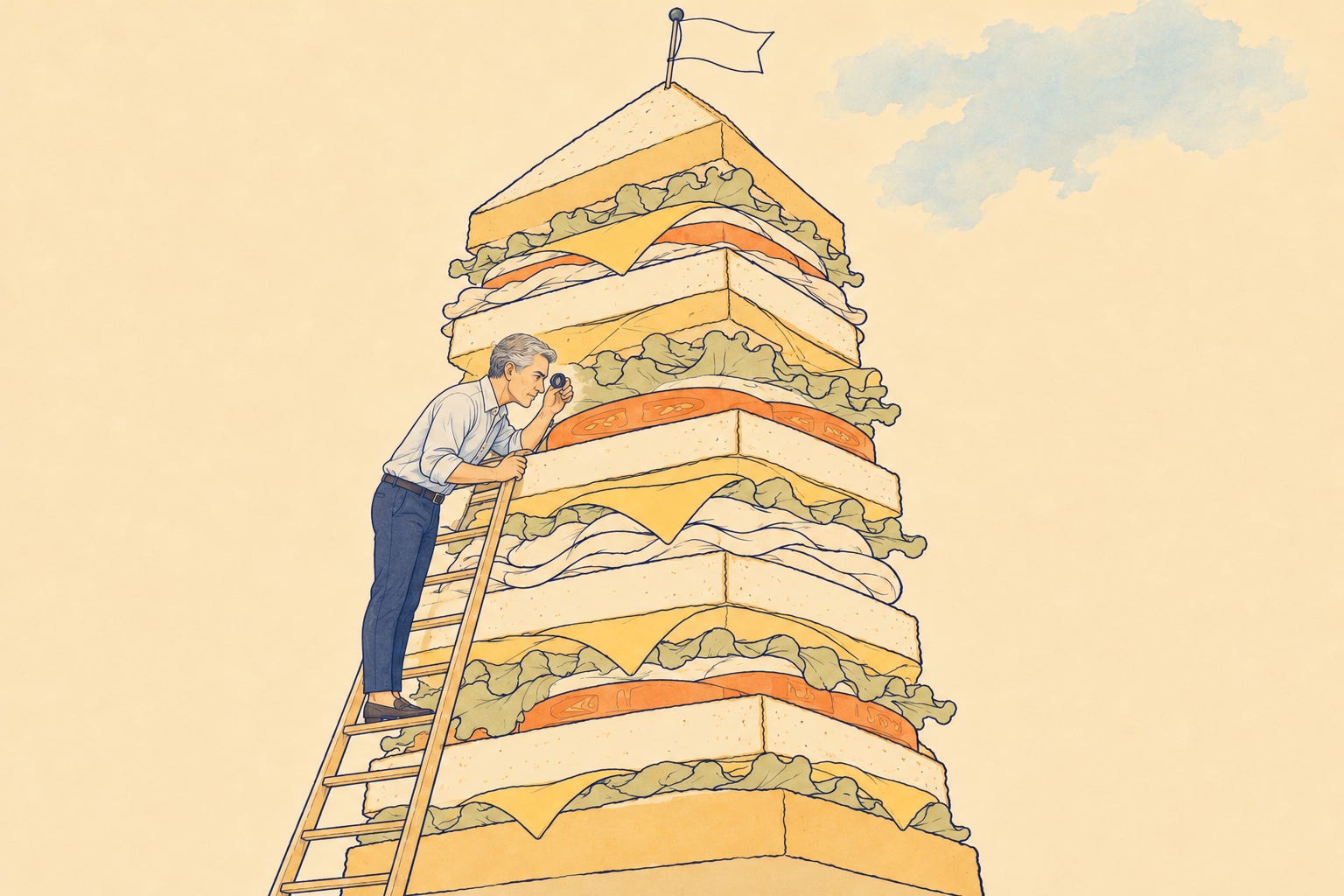
Back in March I gave a name to the way I work with AI: the Expert Sandwich. Human in, AI through, human out. I bring the context and the goal, the AI works through the middle, and I judge what comes back before it goes anywhere. It’s the version of “human in the loop” most leaders I talk with would recognize.
That sandwich was easy to hold when the middle was a paragraph, a few minutes of AI work between two slices of me. In a matter of two years, which in this tech field feels like months, the middle has grown from minutes of work to days of it.
Ethan Mollick laid out how fast this happened in an October essay. He's a Wharton professor who tracks what these AI tools can do. He used a simple yardstick from a research group called METR: take a job, ask how long it would take a skilled person, and see whether AI can finish it from a single request (aka prompt).
In 2024, AI could handle a task that takes a person about four minutes. By April 2026, AI could take on a job that takes a person 17 hours. That's two full workdays of human effort, handed off in one request.
There’s a catch in how that’s measured. The 17-hour figure is the size of job AI gets right about as often as it gets wrong. A coin flip, on two days of work.
Mollick has a name for working this way. He calls it being a conjurer: “you define the task, assign it, and evaluate the output. You are not in the loop while the work is being done.” He says it's "the most powerful way to use AI." In the same breath, he names the cost: "it carries new risks as we lose control over what, exactly, the AI is doing to get us those results." The bigger the job, the less you can see of how it got done.
Think about what’s there in that middle now. Say it’s a job that would take one of your people 17 hours. You wouldn’t hand it to a new hire on Monday and check back Wednesday without a single look in between. With AI, that’s how most organizations work. Someone writes the request, someone reviews the result, and nobody owns the hours in between.
A job that long needs at least one checkpoint in the middle, while the work can still change course. Perhaps more than one. Just not so many that you end up babysitting the AI, which defeats the point.
That middle is where your most experienced people are needed now, and the skill is knowing when to look.
Nobody can watch everything
Here’s where I want to be fair to the case against all this, because it has a point. The whole reason to hand work to an agent is so you don’t have to watch it.
A leader can’t sit beside every agent any more than they can sit beside every employee. Nobody wants that job, either. Checking AI’s work line by line is the least interesting work there is, and the more you delegate, the more of it piles up.
I know this from my own desk. I run an AI chief of staff agent, and it’s where I probably spend most of my working time. Lately I’m not sure the juice is worth the squeeze.
Every day, I confirm what it finished and whether it’s okay to log as done. I check that my task board and the memory system my AI tools share are updated the right way. When it hits a snag, I’m usually the one who brings up the fix. Those are calls I’d like it to make on its own.
I’ve turned myself into its proofreader or QA specialist. It’s why I’ve started testing a few of the newer assistants built to be more proactive.
If your team finally has some momentum with AI, all of this should make you wary of anything that sounds like more oversight. You don’t want a new approval queue and neither do I.
What I’m describing is smaller than that, and sharper.
Picture an agent building a client proposal from your CRM, your past bids and your pricing sheet. Nobody needs to watch it gather files or draft the boilerplate. Someone does need to look in at the moment it’s about to put a number in front of a customer, or reach for language from another client’s contract. One look, at the right milestone, by the person who knows what’s at stake.
That’s the checkpoint. One planned stop. Maybe two. Everything else, you let it run.
Let AI carry the routine work, and save the interesting calls for the people with the most judgment to make them. A good checkpoint is one of those decision markers.
Teach the agent to raise its hand
Notice what the shopping agent did at the checkout. With the cart full, it stopped and asked before placing the order.
That’s the behavior I keep wanting from my own chief of staff agent, and mostly don’t get. My agent waits for me to go looking. The shopping agent brought the decision to me, at the one moment it mattered.
Here’s the shift I’d ask every leader to make. Stop treating the checkpoint as something a person has to remember to do. Build it into the work, so the agent raises its hand at the milestone and brings two questions with it.
The first is the obvious one: is this still on track? Is the work heading where you meant it to go, before another day of effort piles on top of a wrong turn? Today, an AI handed two days of work comes back right about half the time. The middle is where a wrong turn is still cheap to fix.
The second is the one I hear leaders worry about most: what has it touched? Which customer records did it open, what pricing did it use, whose documents did it borrow from, and where is it about to send any of it?
Where guardrails earn their keep
That second question is where guardrails come in. It’s also where things go wrong.
The accounting and consulting firm RSM surveyed more than 500 U.S. middle-market executives and found 96% confident in their security. Only 44% had defined roles for AI decision-making. Confidence is apparently running well ahead of design.
The risk is concrete. AvePoint, a company that sells data-security software, surveyed 750 IT leaders and found data leakage was the most common security incident involving AI agents, reported by half of them. Take that with a grain of salt, given what they sell. It still matches the fear I am hearing.
When nobody designs the checkpoint, oversight falls back to the version critics warn about. Jason Bloomberg, who runs the analyst firm Intellyx, argued in May that “human in the loop,” as most organizations practice it, is “fundamentally flawed.”
People buried in approvals start rubber-stamping them. Reviews turn into checkboxes. Everyone assumes someone else caught the problem.
None of this is an argument for slowing down. Good guardrails are what make it safe to hand an agent bigger work.
You don’t need to build anything custom to start. Most agent tools your team already uses will take plain instructions. Here are three to try.
Set the checkpoint.
Before you [send anything outside the company / change a price / open customer records], stop. Show me where you are, what you’ve done so far, and what you plan to do next. Wait for my go-ahead.
Show what you touched.
At each checkpoint, list every file, record and system you opened or changed, and anything you’re about to send or share. Flag anything that includes customer, pricing or confidential information.
Bring me the fix.
If you hit a problem, tell me what went wrong, give me your recommended fix and one alternative, and ask which I want.
That third one comes straight from my own chief of staff frustration. A good checkpoint hands you a decision to make.
Who answers when it asks
An agent can raise its hand. It can’t tell whether the answer is right.
Look at where I let the agent run and where I didn’t. I had no idea how to keep rodents out of a shed, so I let it research and pick the products without second-guessing it. I had nothing to add there. Whether to hand that agent my financial information was a call I knew how to make. So that’s the one I kept.
Your organization works the same way, at a much bigger scale. The right person at a checkpoint is the one who knows what wrong looks like in that particular work.
That’s usually someone with years in it. The sales leader who spots a bad discount at a glance. The person who remembers why a clause is in that contract. Most of that knowledge isn’t written down anywhere an agent can find it.
One of my clients put it in kitchen terms. Looking at early results from a survey of how his team uses AI, he noticed people felt comfortable with what AI produced, and much less comfortable with what goes into it: the projects, skills and instructions behind the output. “Generally,” he wrote, “you don’t get the best soup if you are not sure you understand the ingredients.”
A checkpoint in the middle is where people get to see the ingredients while the soup is still on the stove. That’s how the people answering the agent’s questions get better at it, and how the results get better with them.
If your most experienced people only show up at the end, proofreading what the AI hands back, you’re spending your rarest asset on the least interesting work there is. Put them in the middle, at the checkpoints, and their judgment shapes the work while it can still change.
It’s also how you keep the momentum. People want their judgment to count. A checkpoint built around your experts gives AI room to run everywhere else.
Your move this week
You don’t need a policy to start. You need a list.
Sit down with your team and ask what they’re actually handing to AI right now, approved or not. For each item, ask one question: if this went sideways halfway through, who would know?
Where there’s a name, that person is your checkpoint. Tell them, and tell the agent to stop and show them before it crosses that milestone.
Where there’s no name, you’ve found the middle nobody owns. Start there.
Governance will grow out of that list, and it’ll be better for it, because it’s built from the real work your people are doing.
Back in March, I drew the Expert Sandwich with a human on each end and the AI in the middle. That middle has grown into two days of work. It needs a human in it, too.
So start with the list. Who on your team would know?
A note on how this was made. This piece practiced what it argues. I used AI to research, structure, and draft it one section at a time, and I checked in at each section instead of only reading the finished draft. Those checkpoints earned their keep. One caught a statistic that read wrong. Another brought in the Expert Sandwich, a framework of mine the AI had no way to know existed. The judgment calls are mine, and so is what’s published.